Set up your own server (Pro)
With Murmel Pro, your own Whisper server transcribes instead of the iPhone. That pays off with dialects such as Swiss German. Murmel works with any server that offers the OpenAI transcription API, for example speaches with the faster-whisper-large-v3-turbo model. The recording goes only to that server, together with the language you chose in Murmel.
- On a computer with Docker, create a compose.yaml file like the one below. Next to it, create a .env file with one line API_KEY= followed by a long random value, for example from “openssl rand -hex 32”.
- Start it with “docker compose up -d”. Load the model once: curl -X POST -H "Authorization: Bearer YOUR_API_KEY" http://localhost:8000/v1/models/deepdml/faster-whisper-large-v3-turbo-ct2
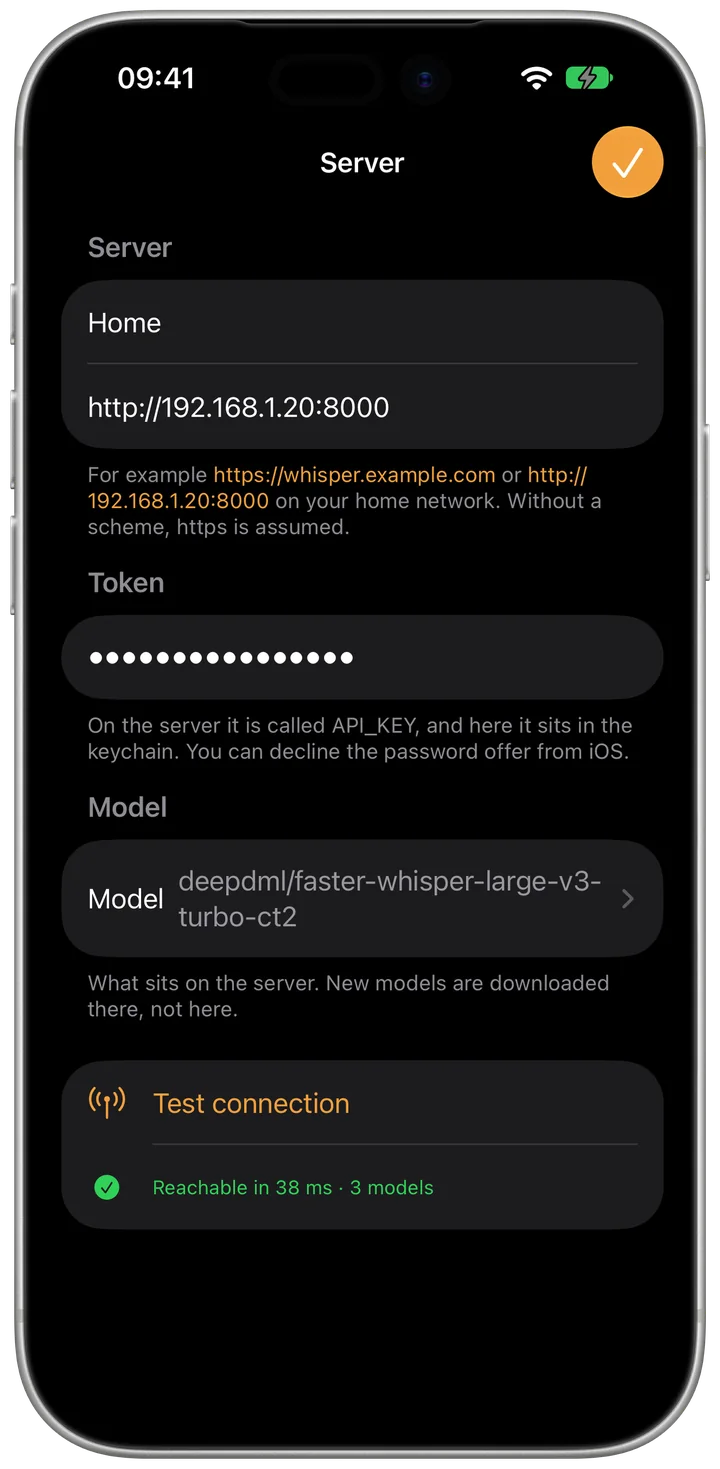
- In Murmel, open Settings > Your own server and tap “Add server”. Enter a name, the address and the value of API_KEY as the token, then choose the model and save.
- Under Settings > Recording > Transcribe, choose the server.
- On your home network, enter the computer's LAN address, for example http://192.168.1.20:8000. To reach the server on the go, it needs an https address, for example through a Cloudflare Tunnel or a reverse proxy. Murmel then shows something like https://whisper.example.com.
- The computer should have 4 cores with AVX2 and 8 GB of memory. If Murmel rejects the token, API_KEY and the token in the app do not match. If Murmel shows no model, the model has not been loaded on the server yet.
services:
  speaches:
    image: ghcr.io/speaches-ai/speaches:latest-cpu
    restart: unless-stopped
    environment:
      API_KEY: ${API_KEY}
      WHISPER__TTL: "-1"
    ports:
      - "8000:8000"
    volumes:
      - hf-hub-cache:/home/ubuntu/.cache/huggingface/hub
volumes:
  hf-hub-cache:
 Murmel